

Learn how to build and integrate powerful Smart Building and BMS projects, Access hardware documentation, feature support, tutorials, and more. Created by multi-BCIA Award-winners.


Categories
HowTo: Niagara 4 alarms sent via SMS using Teltonika API
This document provides a quick guide to using the One Sight Solutions Niagara ossTeltonikaSms Niagara module.
The software allows Niagara Alarm notifications to be sent via SMS to a mobile device using a Teltonika API. This guide does not describe set up of a Teltonika router.
Requirements
It is assumed that the user is trained in the use of Niagara 4.
The ossTeltonikaSms software is only compatible with Niagara versions 4.10 or later.
You must read the End User License Agreement before using this software.
It is assumed that the user has access to a Teltonika router with SMS capability.
Installation
First install the ossTeltonikaSms software module and ensure you have a valid license from One Sight Solutions installed.
Please contact One Sight Solutions <sales@onesight.solutions> to obtain the software or a license
OssTeltonikaSms Operation
The ossTeltonikaSms palette has a single component, the TeltonikaAlarmRecipient.
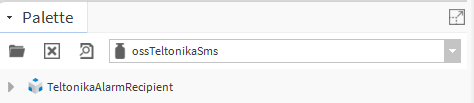
The TeltonikaAlarmRecipient component should be placed in the Alarm Services folder, along with the associated alarm classes.
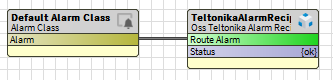
The required alarm classes should be linked to the ‘Route Alarm’ action in the same way as standard Niagara alarm recipients, as shown below.
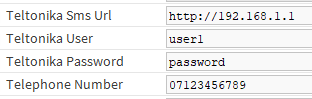
Within the component, fill in the Teltonika Sms Url, Teltonika User, Teltonika Password and Telephone Number fields as below, using the Teltonika API login and the mobile number that alarms should be sent to.
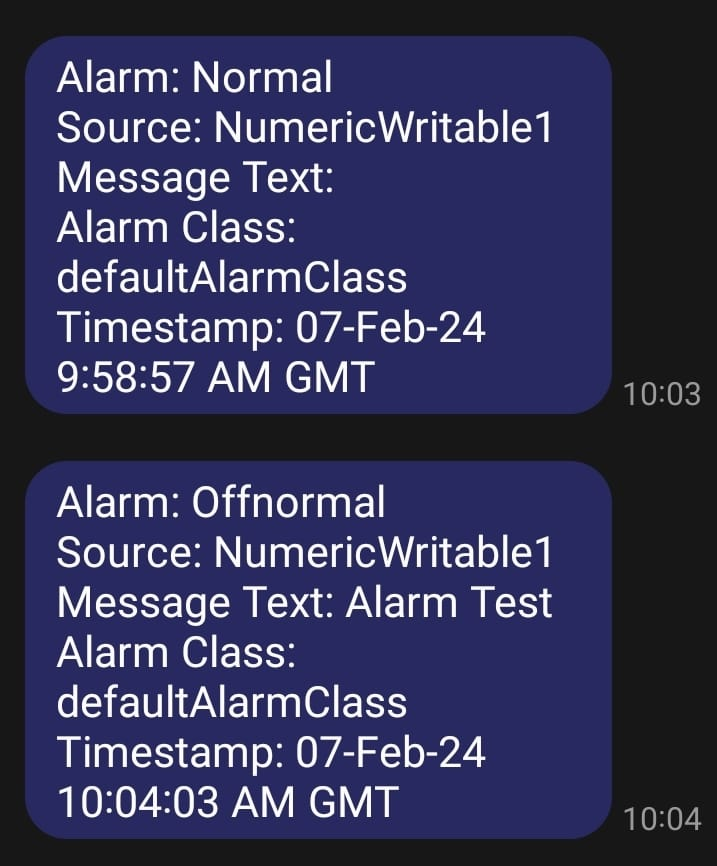
If properly configured, every alarm routed to the TeltonikaAlarmRecipient will send an SMS message to the configured telephone number.
Popular Support Guides

Popular Support Videos on One SightTV
Tridium Niagara 4 Video Training


Access the Industry’s Best Technical Support
Unlock Exclusive Benefits with our Niagara Partner Program including Priority Tech Support



 Supercharge your Niagara 4 Projects with OSS Drivers
Access all 11x of our OSS Niagara 4 Drivers for Free on your Demo Station

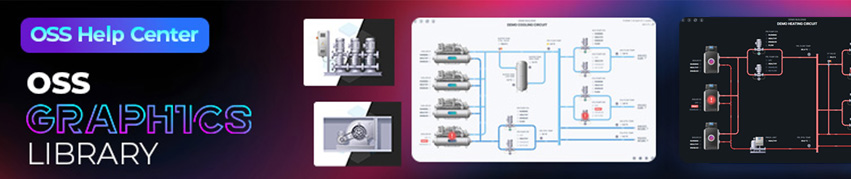
Niagara BMS Graphics made Easy with ossGraphicsLibrary
1857 High Quality BMS SVG’s, with seamless drag-n-drop Design for Rapid Configuration

Explore the full range of Assets and Watch the Video