Download
EntroCIM Platform

Modern user interfaces for

Niagara 4 & 5

Designed once, reused everywhere.

Reflow 2 reimagines the Niagara building experience, from design to deployment. Craft professional-grade UI in the place the client sees it. Available now, with best in class support and training.

Image is not available

Why Reflow                Features                What’s New                Requirements                Why One Sight               Training                FAQ

Why Reflow

Owners expect a modern experience. Integrators shouldn’t have to hand-build it

Many building interfaces are outdated in design, desktop-first and rebuilt from scratch on every project. Reflow gives Tridium integrators the polished, consistent result without the design and coding effort.

Built for every device

A consistent experience on desktop, tablet and phone. Control from anywhere.

Less custom work

Templates, bindings and themes replace per-building design and code, saving you time.

Consistent quality across sites

The tenth building interface looks as good as the first. Professional for your clients.

Reflow 2 Niagara BMS UI

Nine major capabilities, explained below

Bindings  🞄  Projects  🞄  Block editor  🞄  Templates  🞄  Collaboration  🞄  Plugins  🞄  Themes  🞄  Canvas editor  🞄  Localisation

Flexible Bindings

Live data, wired straight into the interface

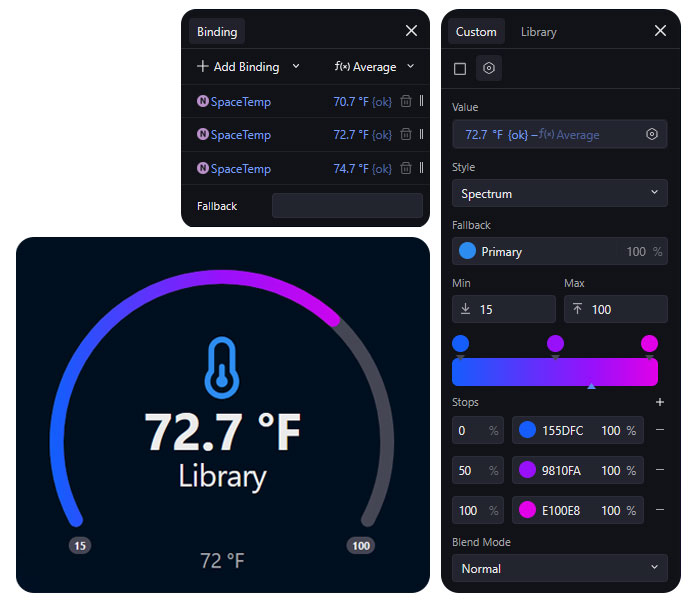
Connect any interface element to live station data without adding wiresheet logic. Simple maths and colour rules are built into the binding itself.

  • Min, max, average, sum, median and mode inside the binding
  • Colour styles driven by min and max, with fallbacks
  • Nothing to rebuild for every view

Multiple Projects

One instance, many projects

A single Reflow instance can now hold several independent projects, each with its own structure, customisation and release cycle.
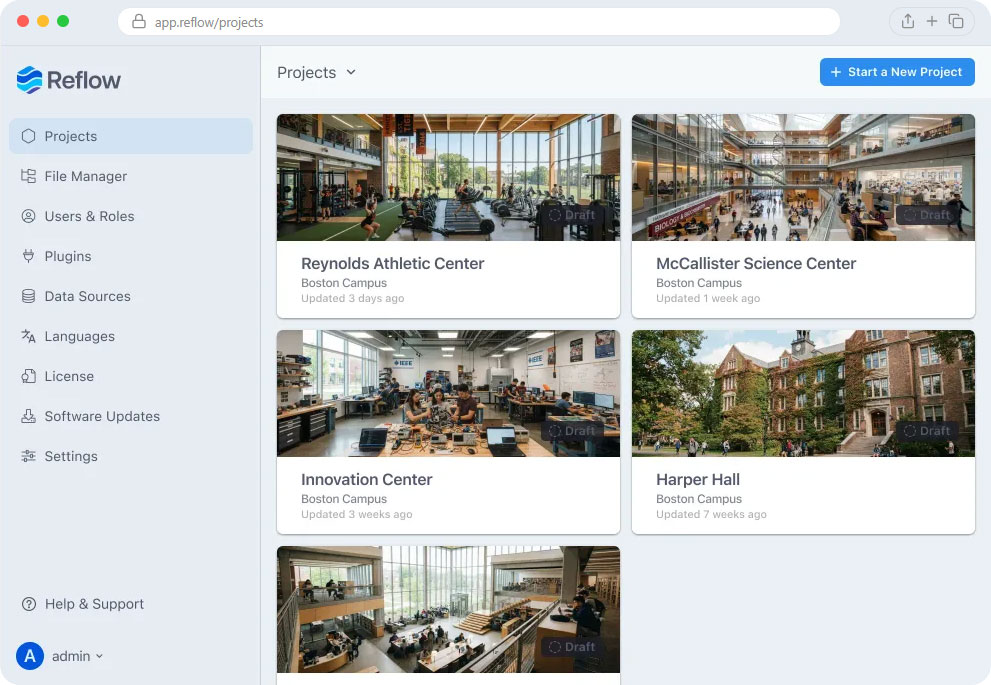
Multi-Project Flexibility

One Reflow instance, many fully independent projects, for clients, facilities, or rollouts.

Tailored Experiences

Customise configurations for different users or clients without duplication or rework.

Controlled Deployment

Build, test and refine updates safely behind the scenes, then publish in one seamless action.

Block Editor

Built and edit where you see the result

Build and change content directly in a live preview. Combined with bindings, blocks make interactive dashboards and equipment views.

  • Alarms, histories, schedules and device pages are now customisable
  • The preview pane is the editing surface
  • Drag and resize blocks for different screen sizes

Templates

Consistency from the first building to the tenth

Reusable page templates bundle structure, design, logic and variables so each new site starts with a proven foundation.

  • Operators learn one layout and recognise the next
  • Ready-made templates for buildings, alarms, equipment, histories and schedules
  • Adapt them to your workflow and redeploy

Collaboration

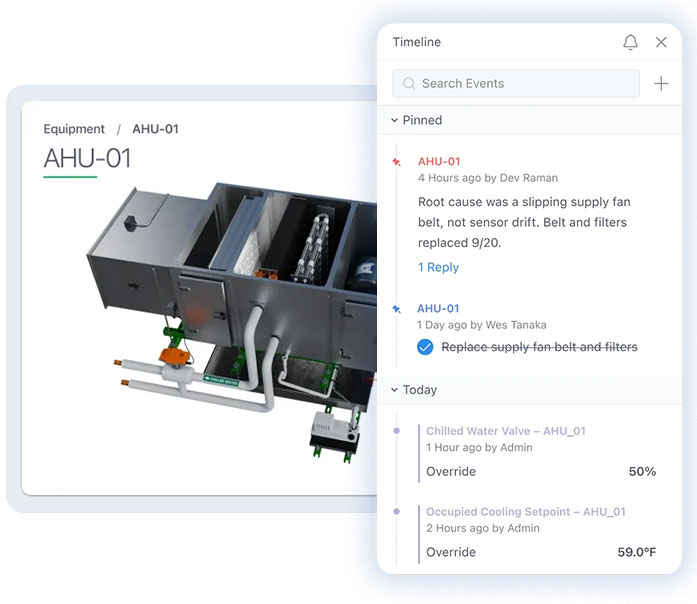
Notes and tasks that know your equipment

Team comments live next to the equipment they refer to. Mention people or assets and the link follows, even if something is renamed.

  • @-mention teammates, equipment, schedules and histories
  • Pin items as urgent, high or for review
  • Notes sit alongside the system audit log
Plugins

Add only what you need

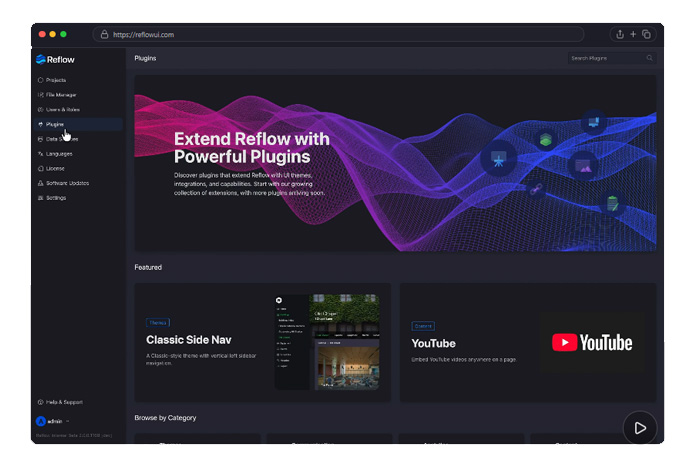
Optional features such as reporting, kiosks and equipment graphics run as separate modules rather than one heavy bundle.

  • Add capabilities where they earn their place
  • Each plugin updates on its own schedule
  • Tailor a deployment without a redesign

Themes

One system, themes that adapt

A theme controls navigation, layouts, typography, colour and dashboard blocks. Change it per project or user and the underlying station is untouched.
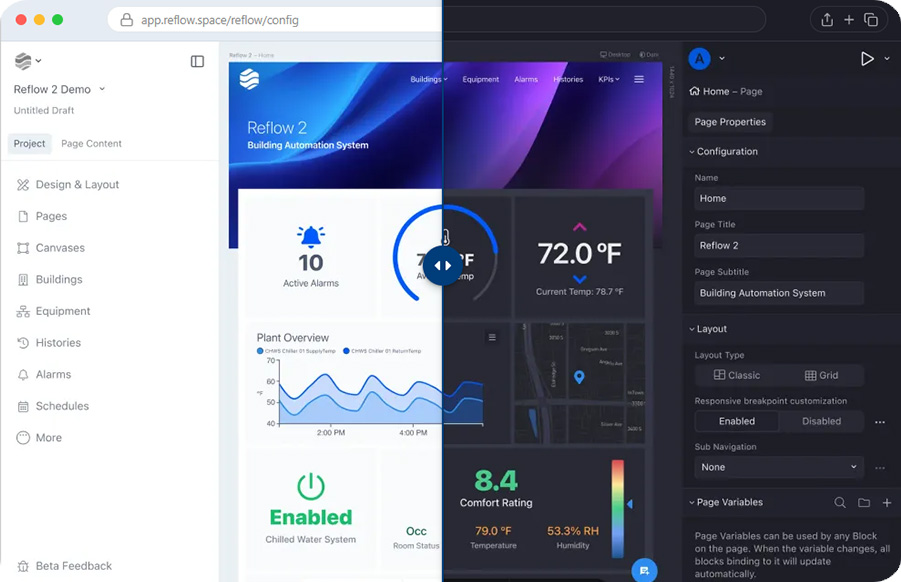
Apply Themes Per Project or User

One system, endless looks. Style it for any site, user, or brand. The foundation never changes.

Change once, update everywhere

Navigation, page layouts and dashboard cards all follow the theme.

Light & Dark Mode Variations Built-in

Both variations ship with every theme, so comfort and legibility aren’t a separate project.

Canvas Editor

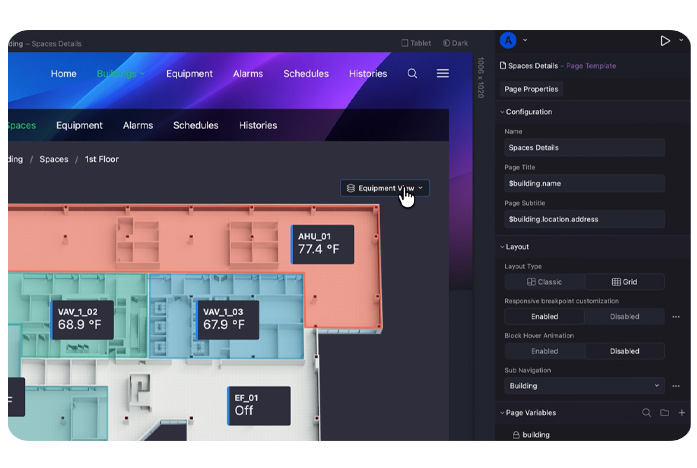
A free-form canvas for graphics

The familiar floor plan editor, extended into a canvas for dashboard cards, equipment graphics and full interfaces. It can replace previously done in the PX editor.

  • Size presets for floor plans, device graphics and dashboard cards
  • Separate images and colours for light and dark mode
  • Polished visuals that still work for operators
Localisation

Speak every user’s language

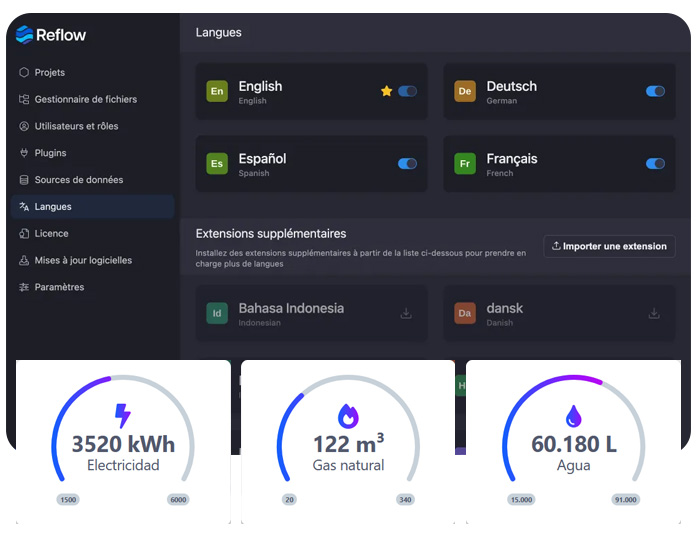
Both the configuration and your content can be localised. Including date and time formats, with each user’s language detected automatically.

  • Build in your own language as well as your client’s
  • Language packs install from within the app
  • AI-assisted translation of custom content, across 15+ languages

New for Reflow 2

Changes you’ll feel on day one

A new core for user experience and platform performance. Here are the highlights of the hundreds of improvements made in Reflow 2.

Real-Time Editing

Your whole team can work in the same project at once and see each other’s edits as they happen

Draft to Publish Workflow

Build and revise behind the scenes, then push changes live the moment they’re ready

Web-based Station File Manager

Managing files in Niagara has been easier. Drag and drop uploads directly inside the interface

Point Catalog

No two stations name points in the same way. The point catalog matches any identifier a point carries – name, tag, display – and maps it to yours

Table Builder

Build dynamic, data-bound tables that read the way operators think. Live data binding, search, sorting, column actions, and CSV export come free

Custom Maps, Live Data

Drop your sites, floors, and assets onto a real map and create live data visualisations. Add weather radar layers and fully customise popover content

App Configuration

Expanded App Config separates the core application from your content, making projects modular, simpler to manage, troubleshoot, and maintain

Advanced Storage & Sync

A new storage engine makes syncing faster and more reliable. Multiple users can work at once, with changes appearing across browsers in real time

Compatibility & Performance

Backwards compatibility means a clean upgrade from earlier versions. Performance is better across the board, with faster load times at any project size

Requirements

Check before you quote the job

Reflow inherits the Niagara security model and has a small footprint.

Station and hardware

  • Niagara 4.10 or later
  • Web Supervisor or JACE 8000 (or equivalent)
  • Module about 20 MB; about 75 MB free recommended install
  • No extra memory or CPU needed

Browsers and devices

  • Current Chrome, Edge, Firefox and Safari
  • iOS 14 or later
  • Android browsers base on Chrome 64 or later

Data, maps and security

  • Users only see what Niagara permissions allow
  • Maps and weather connect from the user’ browsers, not the station
  • Weather data is cached briefly

Why One Sight

Why buy Reflow from One Sight

You get the product plus the Niagara expertise around it.

Tridium Platinum Distributor

Niagara is our core business, so we understand how Reflow fits your station

UK-based support

Phone, email and portal support from engineers who know Niagara

Reflow 2 Certification

Our Reflow 2 Certification course builds your team’s skills

View the course

The full Niagara stack

Controllers, drivers, graphics and LoRaWAN from one supplier

Real project experience

We’ve helped integrators deploy Reflow across the UK, as well as in our own office

Local quotes and licensing help

Sterling pricing, UK invoicing and licensing assistance with great customer service

Reach out to us

Subscribe for Email Updates